


25 minutes





Part #1: Introduction to Spring Security Hello everyone, and welcome to the first of many lectures in our Spring Security series. Today, we embark on our journey into Spring Security with an introductory discussion that is both accessible and foundational. To set the stage, I will be providing an overview of how to establish a default username and password in a basic Spring Security application. This process is particularly useful in scenarios where a local deployment environment is needed, and there is no connectivity to an external authentication provider. In a subsequent blog post, I will detail the necessary prerequisites for conducting this experiment. However, for now, let’s focus on the essential properties that must be configured in your application.properties file to achieve this setup. You can define the following properties:
spring.security.user.name=shounak_bhalerao
spring.security.user.password=password1234
spring.security.user.roles=USER, ADMIN
By specifying these properties, Spring Boot will initialize with the provided username and password, along with the assigned roles. This configuration is highly advantageous in creating a controlled local environment for testing and development purposes, especially when external authentication mechanisms are unavailable.
Firstly we need to create a Spring app for which you can use Spring Initializer start.spring.io (This link will automatically add spring security in your starter project)
and click on generate to download your project.
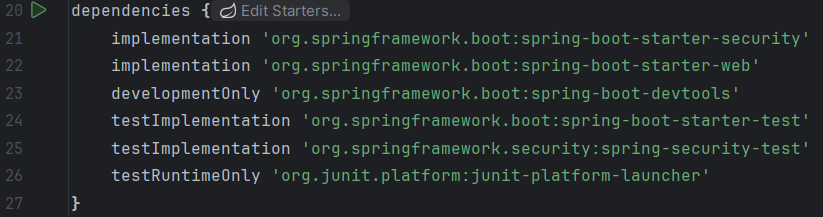
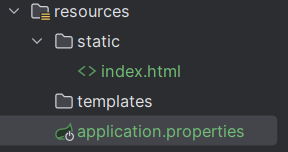
We then add the said properties to the application.properties file present in resources folder. You also should create a index.html page as shown below to be served by a default page as and when you authenticate.
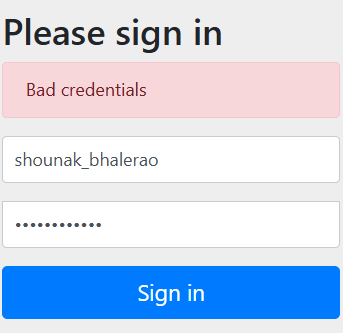
Once your setup is done, just start the spring boot application and open the login page (ideally located at http://localhost:8080).
Wherein you will insert the username and password mentioned above and if correct it will redirect you to the default index.html page.
Thats all for today’s lecture 😀